
Can’t Login to Teams
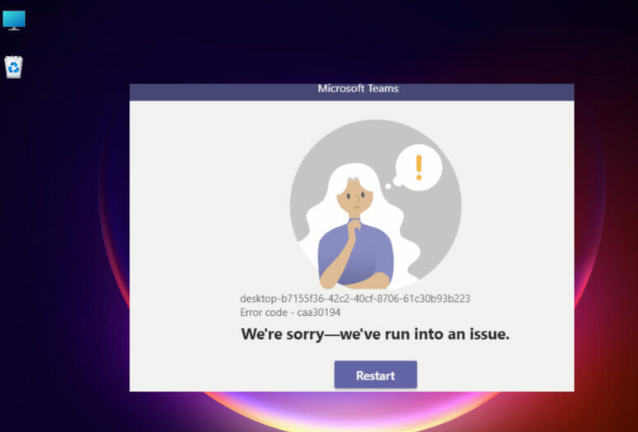
Thanks to botched Windows 11 updates you may find when starting work in the morning you can’t login to Teams.
A lot of times you encounter this error right before you need to get into a meeting. I would keep this article handy for just such an emergency. It will most definitely help you out ! At least you will not be late for your meeting!!
Windows 11 has changed many things. Eventually, you will get used to it but I am sorry, getting used to a heavy flawed update process is not one of them.
It could be a lot more than Microsoft teams but this article is only going to tackle one Windows 11 problem at a time…..
How to fix Can’t Login to Teams
- Try rebooting your computer.
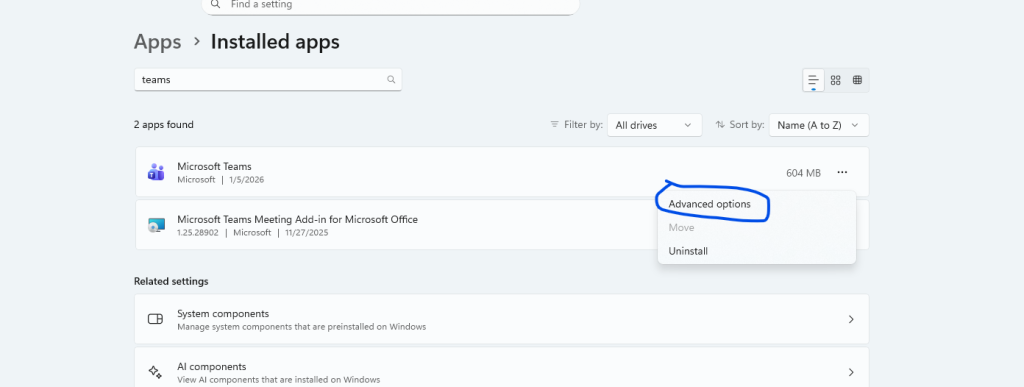
- If that doesn’t work, search “Settings” in the search bar at the bottom of the screen then go to apps, search for “Teams” and then go to “Advanced Settings”:
3. Once in advanced settings for Teams, scroll down until you see “reset”.
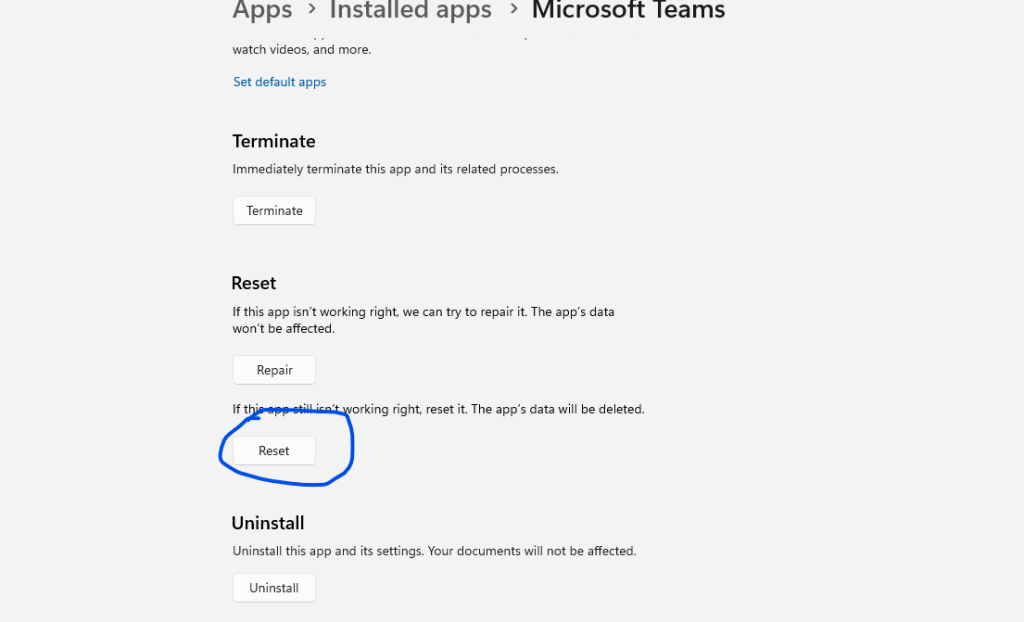
- Click that and it will reset your teams and get you to login again.
If Using the Desktop app Doesn’t Work
If you are still having, you can use the web version here: https://teams.microsoft.com or use Linux instead :p