
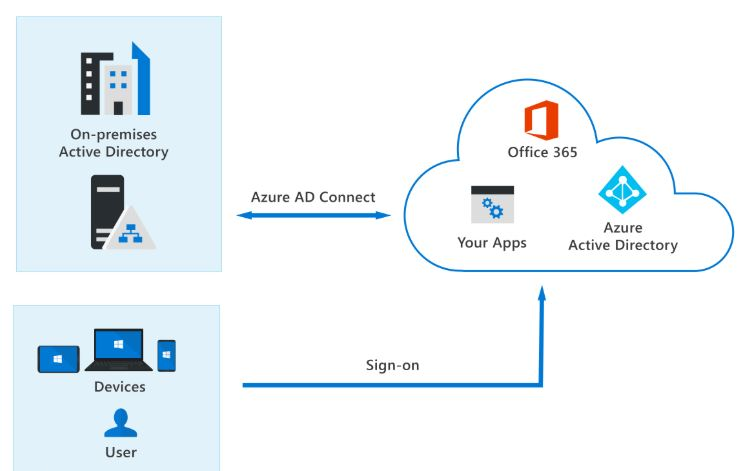
OK, so you need to Match an M365 Cloud Account with Local AD? You just realized you created a cloud only account for a bunch of users in your M365 tenant, but you need them to access local AD resources because you run a Hybrid environment.
You are just not ready yet to pull the trigger and go “Cloud Only”. Don’t worry, you are not alone. I am here to help.
Reasons to Match an M365 Cloud Account with Local AD
There are many reasons to do this. I can think of two. One, you are still running on on-premises Exchange Server and there are some email groups that the account(s) you created in the cloud need access that are only available locally.
The same goes for AD security groups and other attributes that can only be accessed through local AD.
The Easiest Way to Achieve This
The easiest way to Match an M365 Cloud Account with Local AD is to basically create an account in your local AD with the minimum attributes to make what is called a “soft match”. Local AD and the cloud will see them as the same record and synchronize them. Voila, they are both in the cloud and in local AD. Now you don’t have to rack your brain on how to do this anymore!!
Dan

I am an IT professional with over twenty five years experience in the field. I have supported thousands of users over the years. The organizations I have worked for range in size from one person to hundreds of people. I have performed support from Help Desk, Network / Cloud Administration, Network Support, Application Support, Implementation and Security.