

I am sure when you enroll a phone in InTune all the apps you deploy are functioning. Part of the process when you enroll a phone is to make sure all of the apps are working. Upon initial enrollment all apps should work out of the box. In time tough, some of the apps will start malfunctioning. One of them will be email or Outlook. You will probably have to Reset Outlook App Mobile. It is almost inevitable.
What Causes This?
This is a good question. I find that when users are travelling and come back home to their home network and occasionally things go awry. A reset actually works well. Other times, it is a corruption in the synchronization process that causes this. Either way, a reset usually does the trick.
Of course, if that doesn’t work you can always delete and re-add the account. More on that later.
How to Reset Outlook App Mobile
This is how you do it….
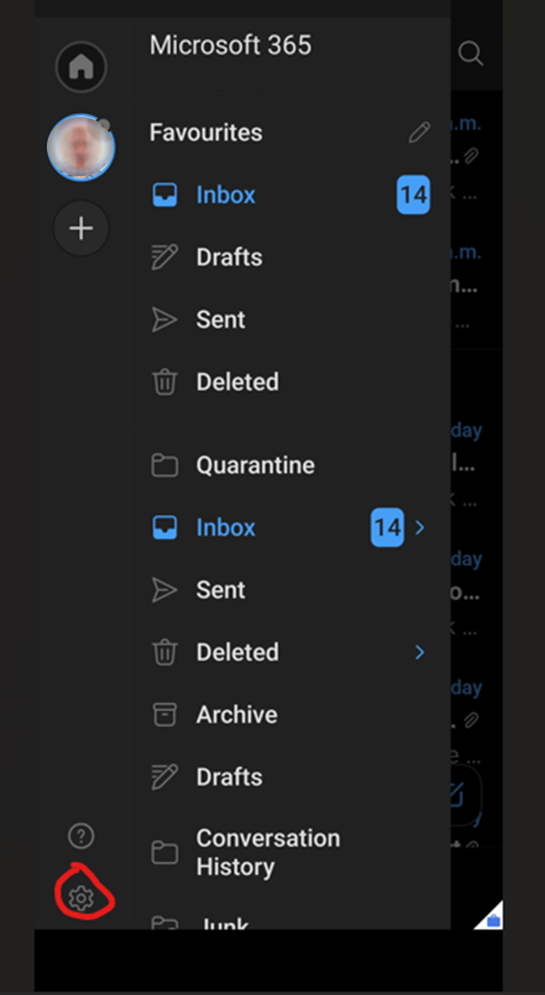
Open Outlook. Tap your account picture and then the settings gear.
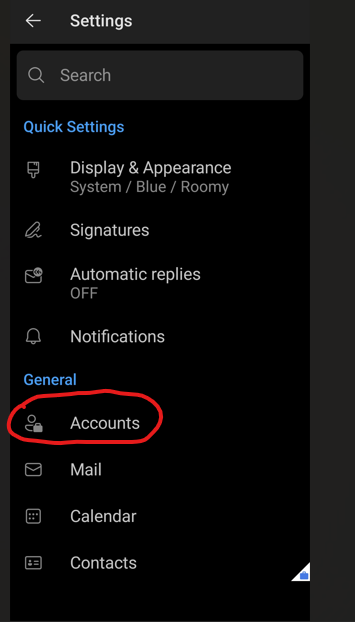
Tap Accounts.
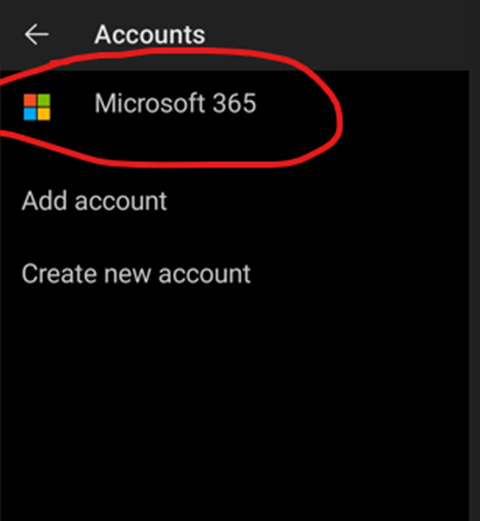
Tap Your Account listing.
Scroll down until you see “Reset Account”. Tap it.
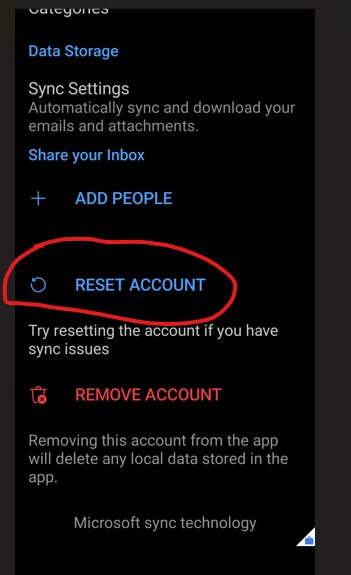
Tap continue to reset your Outlook account.
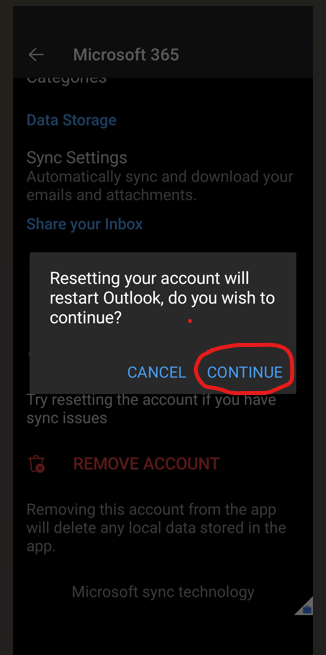
Reboot your phone and connect to Outlook. A Good practice is to re-boot the phone afterward and reload the Outlook app. It should start syncing again.
Doing this should clear out any corruption the the above cause may have had something to do with.
Users have come to rely on Outlook mobile on their phone and if it not working as expected, be sure to get a help desk call. It is very important to their workflow and the last thing they need is to be slowed down.
Using the steps above should resolve their problem and get them working as soon as possible. Worst case, if this doesn’t work, deleting and re-creating the account will get the synchronization for sure.
Dan

I am an IT professional with over twenty five years experience in the field. I have supported thousands of users over the years. The organizations I have worked for range in size from one person to hundreds of people. I have performed support from Help Desk, Network / Cloud Administration, Network Support, Application Support, Implementation and Security.