
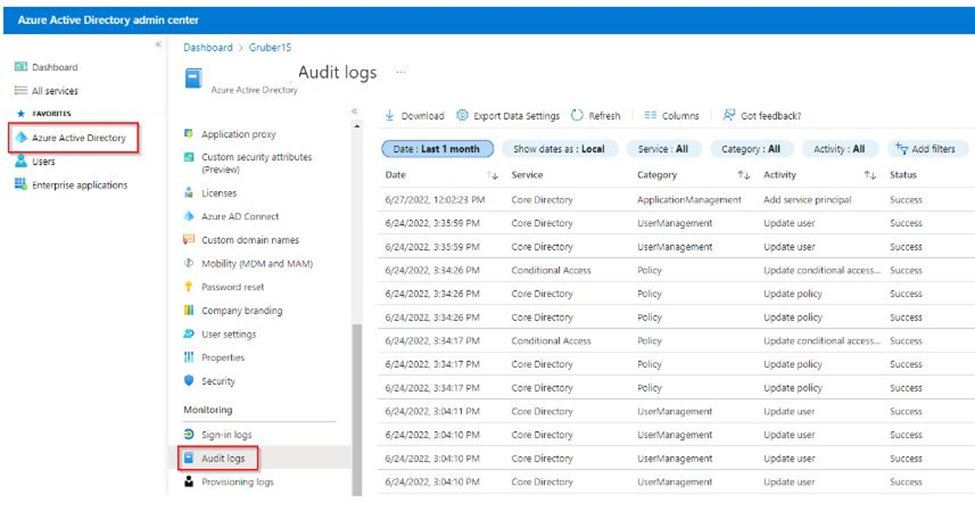
You have created an App in Microsoft Entra and need to see where you can look at M365 App Registration Logging. This is important because the service that depends on it, whether it be with M365 or a 3rd party, can fail and you need to find out why.
A log of any kind is always the best place to start. Here’s how you do it.
Accessing M365 App Registration Logging Through Sign-in Logs
It is quite simple really. All you must do is:
- Go into your Microsoft Entra Portal
- Go to Users / All Users / Sign-in Logs
- From here, you filter like you normally would but instead of filtering by user, you filter by Application.
- Enter your App Registration Name in “+Add Filter.”
- I like to filter by date so I can get a time window of what I am looking for.

Accessing M365 App Registration Logging Through Audit Logs
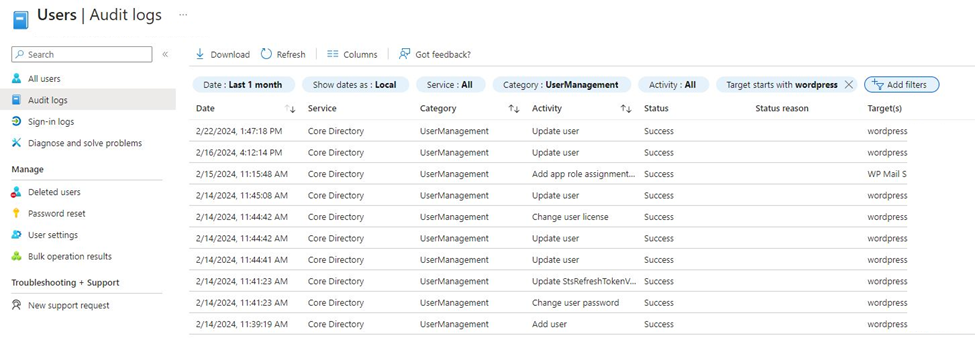
You can also check M365 App Registration Logging by going into the Microsoft Entra audit logs.
It is also simple really. All you must do is:
- Go into your Microsoft Entra Portal
- Go to Users / All Users / Audit Logs
- From here, you filter by target (in this case, the user who the app registration is under).
- I also like to filter by date so I can get a time window of what I am looking for.
When Would You Need Logging
M365 App Registration Logging is useful if one of your services that depends on an App Registration fails. Direct examples include, when you have a PowerShell script or a custom app that uses the app registration and some has change where it could throw an error.
Another example is when you use a third part service like a WordPress Plugin that requires the use of an App registration, and it starts to throw errors for whatever reason. The third-party logs may only be able to tell you that it failed trying to access or use the app registration. Anything more, you must go into the M365 logs. In my experience, outdated plugins can cause this. Changes in security on the App registration side can also cause this.
Hopefully using these 2 Ways at M365 App Registration Logging will be helpful on your troubleshooting journey.
Dan

I am an Senior IT professional with several years experience in the field. I have supported thousands of users over the years. The organizations I have worked for range in size from one person to thousands of people. I have performed support from Help Desk, Network / Cloud Administration, Network Support, Application Support, Implementation and Security.