
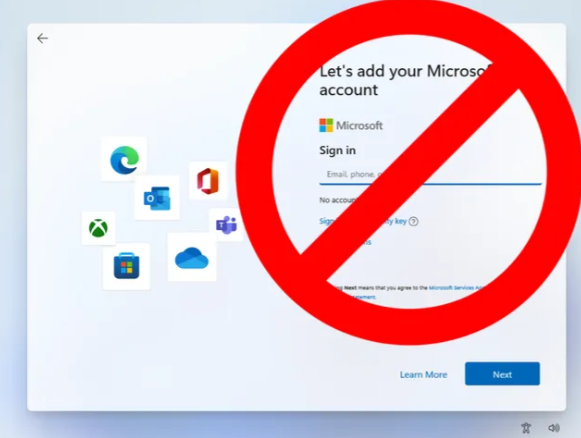
Microsoft is now making it virtually impossible Set Up Windows 11 Without Microsoft Account. It is frustrating to say the least. You know they are only doing it so they can collect even more information about you.
Windows has become more of a marketing machine than an Operating System. I miss the good old days when you could just set up a computer, install software and start working. This can still be done on Windows, but it is getting more difficult, and you need to know a little technical stuff to do it. Fortunately, you are here for a Quick Tip so I will give it to you.
Setting Up Windows 11 Without Microsoft Account
At “Let’s add your Microsoft Account” screen, asking to sign in:
Press Shift F10 (If you’re on a laptop that has Action Keys mode or something similar, you may need to Function Shift F10).
The command prompt appears.
Type into the command line.
ncpa.cpl
The Network connections screen appears.
Right click the Ethernet and or Wi-Fi whichever is connected.
Click Disable.
Close Network Connections.
Type into command line.
oobe\bypassnro
The computer will restart.
At “Let’s connect you to a network”, it should show it is Not connected
Then click I don’t have internet.
Microsoft will protest but check “Continue with limited setup”.
Enter the username you want to create and click next to continue Windows setup normally.
After setup, and you get to the desktop, there will be no internet.
Right click the world icon in bottom right taskbar.
Network and Internet Settings
Advanced Network Settings
Under Network adapters, for any that has a button labeled Enable, click Enable. They should all say Disable (Meaning they are Enabled, and you can Disable it)
Close Network & Internet settings
Proceed with configuration
Here is a great video to walk you through it if you are a more visual learner….
Why Set Up Windows 11 Without Microsoft Account?
This is a great question! As I mentioned before you just want to set up the computer and start working. You have no need to be constantly bombarded with advertisements and news about this and that. I am sure you have enough distractions and the las thing you need is to constantly slag off at work, that’s what solitaire is for! LOL
Or if you want, you could always go and try Linux……
Dan

I am an Senior IT professional with over twenty five years experience in the field. I have supported thousands of users over the years. The organizations I have worked for range in size from one person to thousands of people. I have performed support from Help Desk, Network / Cloud Administration, Network Support, Application Support, Implementation and Security.